
Some links on this page are affiliate links. If you sign up through one, TradeStackLab earns a commission at no extra cost to you. We only recommend tools we’d actually use on a job, and a commission never buys a better review.
You run a small HVAC shop. Maybe it’s just you and a couple of techs. You’re tired of the whiteboard, the spreadsheet, the sticky notes on the dash. Someone told you to “just get some software” and now you’re staring at a dozen options with pricing pages that don’t make sense and feature lists that all look the same.
This guide cuts through that. It’s written for small HVAC operations — not enterprise contractors, not franchises. If you have somewhere between one and fifteen techs and you’re trying to figure out how to choose field service software without wasting money or months of your life, keep reading.
Start With Your Actual Problems
Before you look at a single demo, write down the three things that are actually costing you time or money right now. Be specific.
Common answers from small HVAC shops:
- Scheduling is a mess — double bookings, missed appointments, techs calling in asking where to go next
- Invoicing is slow — jobs are done but cash isn’t coming in because paperwork is backed up
- Customers aren’t coming back — no system for maintenance agreements or follow-ups
- No visibility — you don’t know where your techs are or what’s happening in the field
- QuickBooks is a disaster — jobs aren’t syncing, someone’s manually re-entering everything
Different software solves different problems well. If you don’t know your problems, you’ll buy for features you don’t need and miss the ones you do.
The Core Features That Actually Matter for HVAC
Most field service platforms will show you a wall of checkboxes. Here’s what actually matters for a small HVAC business, and what’s mostly noise.
Scheduling and Dispatch
This is the heart of it. You need to be able to see who’s available, drag a job onto their calendar, and have it show up on their phone. That’s the minimum. Better systems let you factor in location, skill set, and equipment. For a small shop, the drag-and-drop calendar view matters more than fancy AI routing.
Look at how the mobile app actually works — not in the marketing video, but in real use. Techs need to see their jobs, pull up customer history, and complete work orders without a lot of tapping around.
Estimates and Invoicing
You should be able to build an estimate in the field, get a customer signature on a tablet or phone, and turn it into an invoice with as few steps as possible. Anything that requires going back to the office to invoice is costing you days on your receivables.
Look for: on-site payment collection, digital signatures, and the ability to take a deposit at booking.
Customer History
When a customer calls, you want to see their equipment, what was done last time, and whether they have a service agreement — without digging through paper files. This sounds basic but some cheaper tools do it poorly.
Service Agreements and Maintenance Plans
Recurring revenue from maintenance contracts is how small HVAC shops survive slow seasons. Your software should handle recurring billing and remind you when visits are due. Not all platforms do this well at the entry-level tier — it’s worth asking specifically about this during a trial.
QuickBooks Integration
Most small HVAC shops run QuickBooks. You want invoices and payments to sync automatically. Ask exactly how the integration works — some are full two-way syncs, some are more limited. A bad sync creates more work than no sync.
Recommended Gear

Affiliate Link
Fieldpiece SM482V Wireless 4-Port SMAN Refrigerant Manifold with Vacuum Gauge – Air…
4.7★ (159 reviews)
The article talks about techs needing customer equipment history on-site — the SM482V logs refrigerant data digitally, which beats scribbled notes that never make it back to your software.
What You Can Probably Ignore for Now
Vendors love to pitch features that sound impressive. Here’s what you likely don’t need when you’re small:
- AI-powered scheduling optimization — With a small crew, you know where everyone is. Fancy routing is more useful when you have twenty techs.
- Custom reporting dashboards — Useful eventually, but not on day one. Don’t pay extra for this upfront.
- Flat-rate pricing catalogs with thousands of items — Nice to have, but building your own price book from scratch takes months and most shops don’t complete it.
- Customer-facing portals — Again, eventually useful. Not where your pain is right now.
- Fleet GPS tracking — If you have two trucks, you probably know where they are.
The Main Platforms Worth Knowing About
There are a handful of platforms that come up constantly for small HVAC businesses. Here’s an honest read on each.
Jobber
Jobber is one of the more common choices for small shops. It’s reasonably priced at the entry level, the interface is clean, and it covers scheduling, invoicing, and customer management without overwhelming you. The QuickBooks integration works. It’s not the deepest platform — if you want very detailed job costing or complex reporting, you’ll bump into limits. But for a shop that mostly needs to get organized, it’s a solid starting point.
Ready to see if Jobber fits your business?
Try Jobber →Housecall Pro
Housecall Pro targets the same space as Jobber and competes closely on price. It tends to have a stronger consumer-facing experience — things like automatic review requests and booking through your website. Some HVAC shops prefer the interface, some don’t. Customer support quality is something you’ll see mixed opinions on. Worth trying if Jobber doesn’t click for you.
ServiceTitan
ServiceTitan is the biggest name in the space. It’s genuinely powerful — better job costing, stronger reporting, more sophisticated maintenance agreement tracking. But it’s built for bigger operations and priced accordingly. Implementation takes real time and the learning curve is steep. If you’re running a crew of two or three and just need to get organized, it’s likely more than you need right now. If you’re growing fast and planning to scale, it’s worth understanding what you’d be getting into.
ServiceTitan has built a reputation as the enterprise-grade option in this category. That’s accurate. Just go in knowing it’s a significant investment in time and money.
FieldEdge
FieldEdge is HVAC-specific, which is a genuine advantage — it understands equipment tracking, maintenance agreements, and flat-rate pricing in ways that generic field service tools sometimes don’t. It’s deeper than Jobber for HVAC-specific work. The tradeoff is a steeper learning curve and a higher price point.
A Quick Comparison
| Platform | Best For | Weak Spots | HVAC-Specific? |
|---|---|---|---|
| Jobber | Getting organized fast, clean UI | Limited job costing, reporting | No (general trades) |
| Housecall Pro | Consumer-facing features, online booking | Mixed support experiences | No (general trades) |
| ServiceTitan | Growth-focused shops, complex reporting | Cost, implementation time, overkill when small | Yes |
| FieldEdge | HVAC-specific workflows, equipment history | Steeper learning curve, higher price | Yes |
Recommended Gear
Affiliate Link
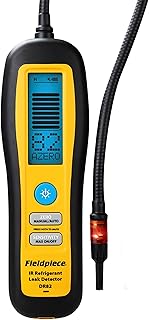
Fieldpiece – DR82 Infrared Refrigerant Leak Detector – Ultra-Sensitive Leak Sniffer…
4.5★ (213 reviews)
If your customer history problem includes missing service records, a leak detector that gives you a concrete, loggable reading helps close the loop between fieldwork and what actually gets entered into your system.
How to Actually Evaluate Software Before You Buy
Most platforms offer a free trial or a demo. Here’s how to use that time well instead of just watching a sales rep click through slides.
Run a Real Job Through It
Don’t just look at the interface. Create a fake customer, schedule a job, build an estimate, convert it to an invoice, and mark it paid. Time yourself. Notice where you got confused. That’s your data.
Check the Mobile App on Your Tech’s Phone
Your techs are the ones who have to use this in the field. Have one of them try the mobile app without any coaching. If they’re lost in five minutes, that’s a red flag — or at least a sign that training will take real effort.
Test the QuickBooks Sync
If you use QuickBooks, connect it during the trial. Create an invoice, mark it paid, and see if it shows up correctly on the QuickBooks side. This is a five-minute test that can save you months of headaches.
Call Support
Submit a support request during the trial. See how long it takes to get a real answer. This tells you a lot about what your experience will be after you’ve paid.
Ask About Price Changes
Ask directly: what does pricing look like as my team grows? Some platforms look affordable with two users and get expensive fast as you add techs. Know what you’re signing up for.
Red Flags to Watch For
- No transparent pricing online. If you have to sit through a demo to get a number, expect a sales process, not a self-serve product.
- Long-term contracts with heavy penalties. Some enterprise platforms lock you in. Read the terms.
- The demo doesn’t match the trial. If the sales demo looks polished but the actual product is clunky, trust the product.
- They can’t give you references in HVAC. Ask to speak with other HVAC shops using the software. If they hesitate, that’s telling.
What to Budget
Without giving you numbers that could be out of date by the time you read this: expect entry-level platforms to be meaningfully less expensive than enterprise ones. Most platforms charge per user or per tech, so the cost scales with your team. Some charge a flat monthly fee for small teams.
The real cost isn’t just the subscription. It’s the time to set it up, train your techs, and migrate your customer data. Budget a few weeks of real effort for a proper rollout, not just a few hours.
A Realistic Timeline for Switching
If you’re coming from a whiteboard or a spreadsheet, give yourself:
- Week 1–2: Trial one or two platforms. Run real jobs through them.
- Week 3: Make a decision. Import your customer list. Set up your services and pricing.
- Week 4: Go live. Expect some friction. Plan for it.
- Month 2: You’ll start to find the real edge cases — the stuff the software doesn’t do the way you expected. Decide if it’s a dealbreaker or a workaround.
Most shops that abandon new software do it in the first month because they didn’t plan for the learning curve. Set expectations with your team before you launch.
Recommended Gear

Affiliate Link
Fieldpiece SOX3 Combustion Check New with Hard Case
4.3★ (101 reviews)
Maintenance agreements are how the article says small HVAC shops survive slow seasons — combustion analysis on annual tune-ups is exactly the kind of documented service visit that justifies a recurring contract.
The Short Version
Know your problems before you look at software. Focus on scheduling, invoicing, customer history, and QuickBooks sync. Ignore features you won’t use in year one. Trial at least two platforms with real jobs, not just demos. Check the mobile app with your actual techs. And read the contract before you sign.
If you’re growing fast and want a platform built specifically for HVAC with room to scale, ServiceTitan is worth a serious look — just go in with your eyes open about the investment involved.
If you’re a smaller shop that just needs to get organized without a lot of setup, start with one of the lighter platforms and move up when you outgrow it. There’s no shame in starting simple.