
Some links on this page are affiliate links. If you sign up through one, TradeStackLab earns a commission at no extra cost to you. We only recommend tools we’d actually use on a job, and a commission never buys a better review.
If you run an HVAC company and you’re shopping for field service software, you’ve probably landed on two names: Housecall Pro and Jobber. Both are solid platforms. Both are popular. And both will tell you they’re built for contractors like you.
The truth is a little more complicated. Each platform has a different philosophy, and the right pick depends on how your business actually runs — not which one has the better marketing page.
This comparison breaks down what matters for HVAC specifically: scheduling, dispatching, maintenance agreements, quoting, and the stuff that makes your day harder or easier in the field.
Who These Platforms Are Built For
Housecall Pro started out targeting residential service companies — smaller crews doing high-volume, same-day or next-day calls. It’s designed to move fast. The onboarding is quick, the interface is clean, and a tech who’s never used software before can figure it out in a day.
Jobber has a broader range. It works for HVAC, but it also works for landscapers, cleaners, and just about any other field service trade. That flexibility is a strength and a weakness. The platform isn’t as opinionated about how HVAC businesses specifically should run.
Neither platform is a dedicated HVAC tool the way something like ServiceTitan tries to be. Keep that in mind.
Scheduling and Dispatching
This is where HVAC shops spend a lot of time, especially during peak season when the board is full and the phone won’t stop ringing.
Housecall Pro’s dispatch board is visual and drag-and-drop. You can see your techs, their current jobs, and their location on a map. Reassigning a job when someone calls out sick takes about ten seconds. For a busy residential HVAC company running a lot of calls, it moves at the right pace.
Jobber’s scheduling is also solid. The calendar view is clean, and the routing features help you avoid sending a tech across town when someone closer is available. It’s a bit more structured, which can be a plus if you like things organized a certain way, or a drag if you need to move fast.
One real difference: Housecall Pro has GPS tracking built in at certain plan levels, so the office can see where trucks actually are. Jobber has routing optimization but the live tracking piece has historically been more limited. Worth checking the current state of both before you decide.
Quoting and Estimates
HVAC estimates can be complicated — equipment, labor, refrigerant, permits. Neither platform is going to replace a full estimating tool for commercial work, but for residential replacement and service quoting, both handle the basics.
Housecall Pro lets you build estimates in the field and send them to the customer right from the app. Good-better-best tiered pricing is available, which works well for system replacements where you’re presenting multiple equipment options.
Jobber also handles quotes well. The client-facing quote portal looks professional, and customers can approve quotes online, which saves phone tag. If you’re doing a lot of work where the customer needs to sign off before you start, that’s a useful feature.
For HVAC specifically, the good-better-best option in Housecall Pro is a genuine advantage on replacement jobs. It’s not a dealbreaker if Jobber doesn’t have it in the same form, but it’s a real-world workflow that a lot of HVAC companies rely on.
Maintenance Agreements
Recurring maintenance agreements are a big part of a healthy HVAC business. This is an area where the platforms diverge meaningfully.
Housecall Pro has recurring service plans built in. You can set up maintenance agreements, charge customers automatically, and schedule the visits tied to those agreements. It’s not perfect — managing large volumes of agreements and tracking which ones are due can still feel clunky — but the basic infrastructure is there.
Jobber handles recurring jobs well, and you can set up automated billing. But the maintenance agreement workflow isn’t as purpose-built as some HVAC operators would like. You can make it work, but you may have to think through the setup carefully.
If maintenance agreements are a core part of your revenue model, lean toward Housecall Pro on this one — with the caveat that neither platform handles this as cleanly as a more specialized tool would.
Recommended Gear

Affiliate Link
Fieldpiece SM482V Wireless 4-Port SMAN Refrigerant Manifold with Vacuum Gauge – Air…
4.7★ (168 reviews)
The article notes that HVAC estimates must account for refrigerant — techs using Fieldpiece’s wireless SMAN manifold can pull accurate refrigerant readings in the field, feeding the real numbers that make same-day Housecall Pro quotes credible.
Customer Communication
Both platforms send automated texts and emails to customers — job confirmations, tech-on-the-way notifications, review requests after the job. This is table stakes now, and both do it reasonably well.
Housecall Pro’s automated messaging is generally seen as more polished out of the box. The flows are easy to set up and the customer-facing experience is clean.
Jobber’s client hub — where customers can see their job history, pay invoices, and request work — is genuinely good. If you want customers to be able to self-serve a bit, that’s a useful feature. For HVAC, where customers often want to check on their equipment history or pull up a past invoice, it adds real value.
Invoicing and Payments
Both platforms let techs collect payment in the field, send invoices by email or text, and accept credit cards. Processing fees apply through their respective payment systems.
Housecall Pro has pushed hard on payments and financing options. If you’re doing system replacements and want to offer financing at the point of sale, they’ve built integrations for that.
Jobber connects with Stripe and has its own payment processing. It also integrates with QuickBooks, which a lot of HVAC shops already use for bookkeeping. The QuickBooks sync on both platforms works, but like any sync, it’s not always perfectly seamless — worth testing before you go all-in.
Pricing
Pricing for both platforms changes, and both have multiple tiers. Rather than quote specific numbers that may be out of date by the time you read this, here’s the honest summary:
- Both platforms are subscription-based with monthly or annual billing.
- Jobber tends to be more affordable at the entry level, which matters if you’re a smaller shop watching overhead.
- Housecall Pro’s pricing scales up as you add features, and some of the features that matter most for HVAC (like certain recurring plan tools) may require a higher tier.
- Both offer free trials. Use them. Don’t buy based on a sales call alone.
Get current pricing directly from each company before you make a decision. The gap between tiers can matter a lot depending on your team size and which features you actually need.
Where Each One Falls Short
Housecall Pro’s weaknesses for HVAC:
- Not built for commercial work. If you do a significant amount of commercial HVAC, you’ll hit limitations.
- Reporting can be shallow depending on your plan. If you want detailed job costing or tech performance metrics, you may need to export data and work in spreadsheets.
- Customer support quality has been inconsistent based on user feedback. When something breaks during peak season, that matters.
Jobber’s weaknesses for HVAC:
- Not designed specifically around HVAC workflows. Some things require workarounds that a more vertical tool handles natively.
- Maintenance agreement management takes more manual setup.
- The good-better-best quoting experience isn’t as smooth if that’s a core part of how you sell.
Recommended Gear

Affiliate Link
Fieldpiece SOX3 Combustion Check New with Hard Case
4.3★ (101 reviews)
Combustion work adds another layer of complexity to HVAC quoting that neither platform fully automates — a dedicated analyzer like the SOX3 generates the field data your estimate has to reflect before software enters the picture.
Side-by-Side Comparison
| Feature | Housecall Pro | Jobber |
|---|---|---|
| Dispatch board | Visual, fast, drag-and-drop | Clean calendar, good routing |
| GPS tracking | Available on higher plans | More limited historically |
| Good-better-best quoting | Yes | Not natively the same way |
| Maintenance agreements | Built-in recurring plans | Recurring jobs, less structured |
| Customer self-service portal | Basic | Strong client hub |
| Financing at point of sale | Available | More limited |
| QuickBooks integration | Yes | Yes |
| Commercial HVAC fit | Limited | Better, but still not ideal |
| Entry-level price | Mid-range | More affordable |
| Ease of onboarding | Fast | Fast |
Recommended Gear
Affiliate Link
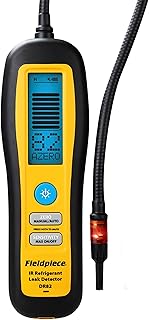
Fieldpiece – DR82 Infrared Refrigerant Leak Detector – Ultra-Sensitive Leak Sniffer…
4.5★ (219 reviews)
When a leak detection call comes in during peak season and the dispatch board is full, having a reliable sniffer like the DR82 means the tech who gets there can close the job — the software just has to get them there fast.
So Which One Should You Pick?
If your HVAC business is primarily residential, you run a high volume of service calls, and maintenance agreements are a big part of how you operate — go with Housecall Pro. The workflows fit better, and the quoting experience is more polished for replacement sales.
If you’re a smaller operation, budget is a real consideration, or you do a mix of trades and want one platform that handles everything without paying for features you won’t use — Jobber is the smarter starting point. The client hub and quote approval flow are genuinely good.
If you’re running a larger HVAC operation — multiple locations, commercial contracts, complex reporting needs — honestly, neither of these may be enough. That’s a different conversation about more enterprise-level platforms.
But for the majority of residential and light commercial HVAC shops? Both are workable tools. Try both free trials, put them through a real week of work, and pick the one your dispatcher and techs don’t hate using.